
Shaping Smarter Workflow Journeys
Optimising user flows for an AI-powered productivity tool
Project Overview
This project focused on improving the experience of a task and workflow automation platform that helps users manage repetitive processes such as scheduling, approvals, and reminders.
I conducted a UX audit and redesigned key flows and structures to streamline onboarding, simplify feature navigation, and enhance overall usability, creating a clearer, more intuitive experience for users.
Key Painpoints
Through the UX audit, several key challenges emerged that were impacting users’ ability to complete tasks efficiently and confidently. These issues revealed opportunities to streamline the experience, improve clarity, and better support user goals.
- Lack of onboarding guidance: It was crucial to include an onboarding journey, both to help users understand the tool and to allow the system to collect the right information, enabling more streamlined and effective workflows.
- UI elements not following best practices: Some interface patterns created friction and slowed task completion.
- Gaps in the overall user journey: Users encountered disconnected flows that disrupted efficiency and caused confusion.
- Absence of foundational features: Standard elements users intuitively expect in a modern tool were absent, impacting usability and the sense of a complete experience.
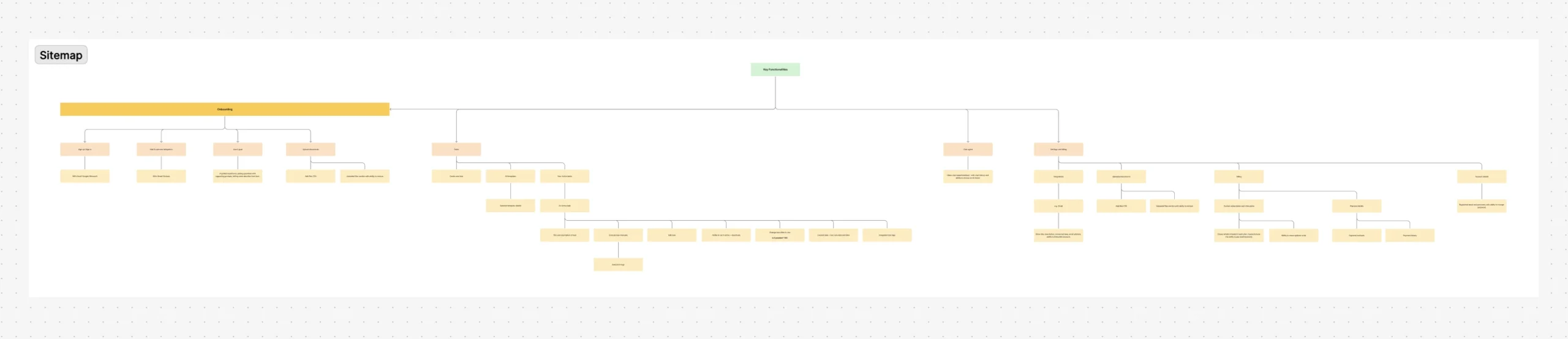
Sitemap Review & Optimisation
I analysed the existing product structure to identify gaps and inefficiencies, then updated the sitemap to reflect user needs, business requirements. This ensured the product’s architecture supports clarity, usability, and future growth.
User Journey Mapping
I visualised the steps users take to complete key tasks across different features, revealing gaps and potential friction points. This provided a clear overview of the user experience and informed new UX/UI recommendations to streamline flows, enhance usability, and align with client requirements, such as ensuring certain actions are completed before moving to the next step.

Overall Strategic Recommendations
Quick Wins
- Step-by-step onboarding: Introduce a clear onboarding journey that guides users through necessary inputs, while explaining why each step is needed to build trust and enable streamlined workflows.
- Clear and usable buttons: Ensure all buttons are intuitive, correctly sized, and easily discoverable to prevent confusion or missed actions.
- Digestible content: Break up long sections of content into manageable chunks, such as tabs or categorised sections, to reduce cognitive load and make information easier to process.
Long Term Improvement
Foundational features: Add expected standard features, like a settings page, to allow users to manage account details and basic preferences.
Interaction and UI system overhaul: Establish a consistent design system with standardised UI components, ensuring visual consistency, accessibility, and scalability for future product growth.
Advanced feature enhancements: Introduce additional functionality based on user needs, such as deeper automation options, to support productivity and perceived completeness.